
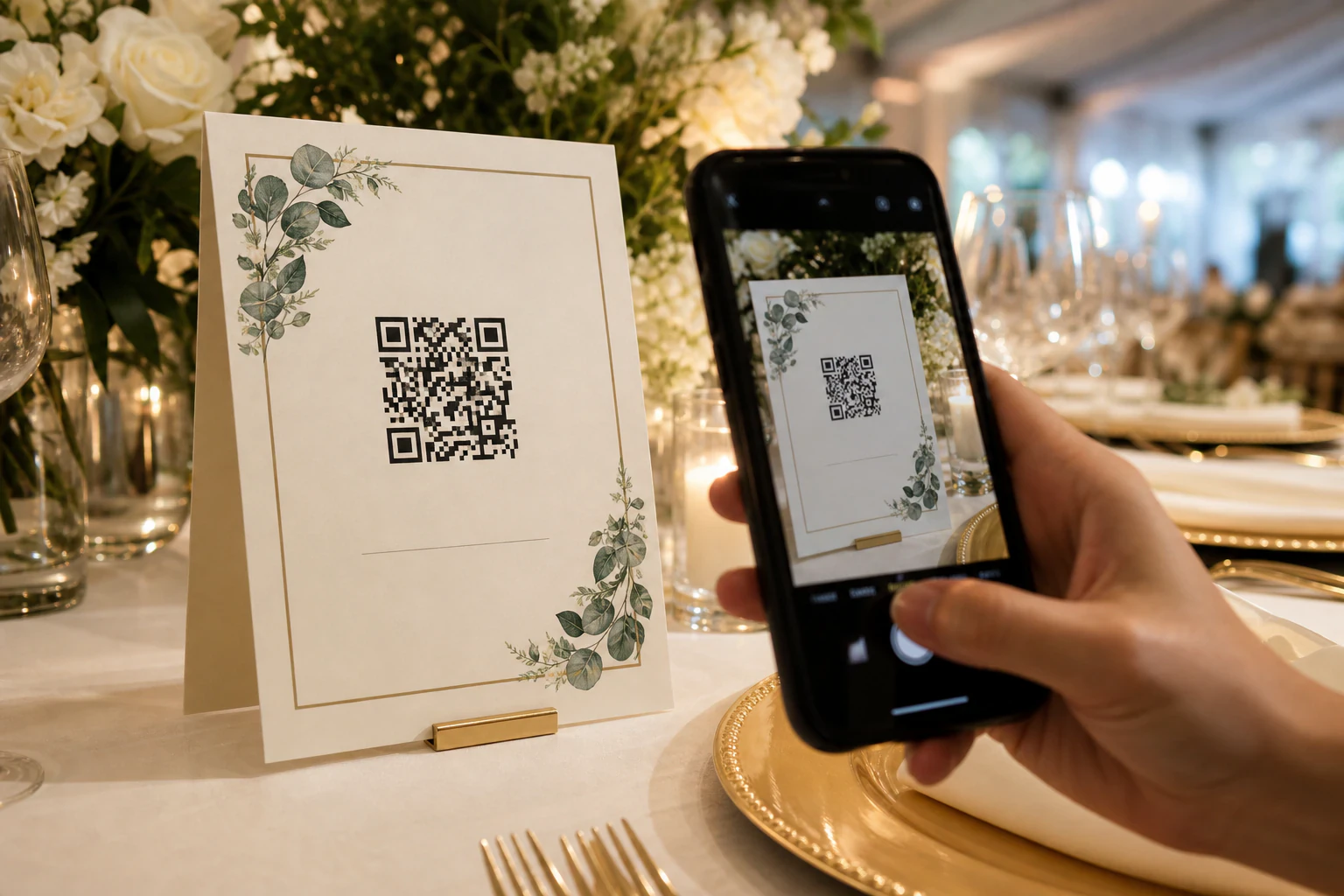
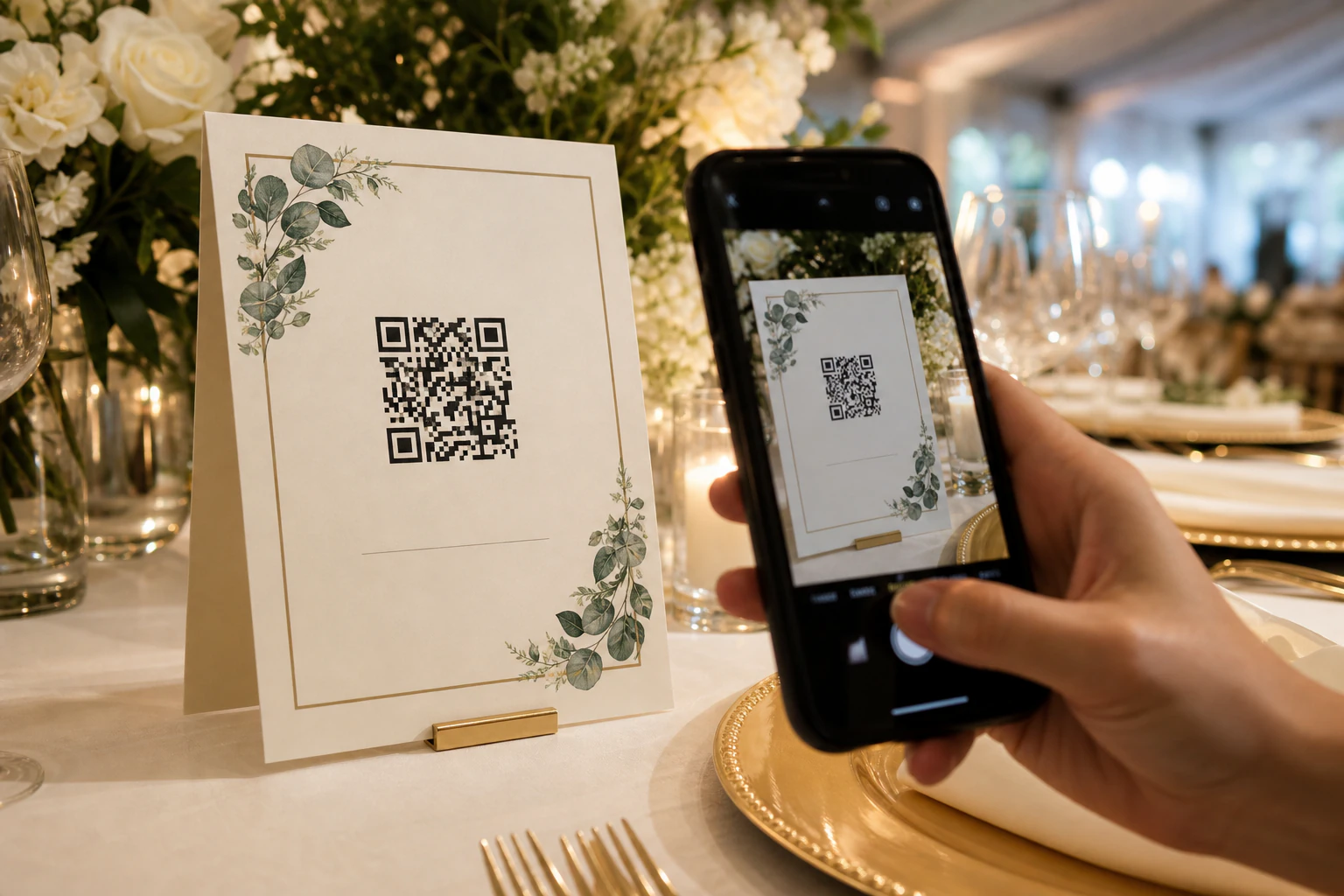
A wedding QR code for photos is a printed square that turns every guest's phone into a camera you get to keep.
Point a phone camera at it, tap the link, and the guest lands on a page where they upload the shots they just took. No app, no account, no waiting three weeks for the photographer's gallery. There are two ways to build one: use a turnkey wedding-photo app, or wire up your own upload page and turn its link into a code. This walks through both honestly, plus the free-storage traps nobody warns you about until the day after.
How the QR part actually works
The QR code itself is dumb, and that's the good news. It's just a link, encoded as a pattern of squares.
Whatever page you want guests to reach, a shared photo album, an upload form, a drop page, you take that link and run it through a QR generator. The code you get back does exactly one thing: it opens that link. iPhones and modern Android phones read QR codes straight from the native camera app, so guests don't install anything. They point, they tap the banner that pops up, they're on your page.
So the whole project is really two decisions. Where do the photos land, and how do you get the link in front of guests. Get those right and the QR code is a five-minute afterthought.
- Pick where the photos land. A dedicated wedding app, a cloud album, or an upload page you control. This is the decision that matters, and the next section is entirely about it.
- Get the share or upload link. Every option gives you one URL. Copy it.
- Turn the link into a QR code. Free generators like QRCode Monkey or QRStuff take the URL and hand back a downloadable image. Save it as a high-resolution PNG or SVG so it stays crisp when printed big.
- Put it on a sign. Table cards, the welcome sign, the back of the program, a frame at the bar. Add one line of instruction: "Scan to add your photos."
- Test it before the day. Print one, scan it with a phone that has never seen the link, and upload a real photo. Do this a week out, not at the reception.
The three real options, and what each one quietly costs you.
Every wedding QR code is one of these three underneath. The turnkey apps hide it, the DIY guides skip the fine print. Here's the honest version.
Turnkey wedding apps
GuestPix, Wedibox, GuestCam, WedUploader and the like generate the code, the sign templates, a live slideshow, sometimes a digital guestbook, all in a couple of minutes. Genuinely the easiest path if you're not technical. The cost: most gate real storage, video length, or full-resolution downloads behind a paid tier, and the gallery is theirs, not yours.
A cloud album (Google Photos, iCloud, Dropbox)
Free storage you may already have. The catch is contribution, not viewing. To add photos to a Google Photos shared album or an iCloud Shared Album, a guest usually needs a Google or Apple account, which trips up a chunk of your list. iCloud also downscales what guests add. Dropbox is the exception: its File Request feature lets anyone upload with just a name and email, no account.
An upload page you own
You set up a plain "upload your photos here" page on a link you control, hand it out as the QR code, and every file lands in one place you keep. More setup than the turnkey apps, and no pre-built sign templates. In exchange, nothing expires on someone else's schedule and the files are yours from the start. This is where a tool like tonta fits, more on that below.
The album that costs nothing on the wedding day is the one most likely to cost you the photos a month later.
The free-tier traps, stated plainly
Nobody reads the limits until they hit one. These are the four that actually bite at a real wedding.
Storage math. A modern phone photo is roughly 3 to 5 MB. A wedding of 120 guests each dropping ten shots is already pushing 5 GB, and a single two-minute 4K clip can be 300 MB or more. Video is what blows past every free tier. If you expect a lot of it, check the cap before the day, not after.
Expiration. Several free wedding-photo services keep your gallery live for a set window, then start charging to keep it or to download in full resolution. WeTransfer links expire on the free plan by design. If a link is your only copy, a link that expires is a problem.
Account friction. The whole point of a QR code is that guests don't sign up for anything. An option that makes older relatives create a Google account just to contribute defeats it. Test the upload flow on a phone that isn't logged into anything.
Resolution. Some services compress or downscale uploads to save space, so the "full album" you download later is smaller than what guests actually shot. If print quality matters, confirm you get originals or optimized full-size files, not thumbnails.
Turnkey app, cloud album, or a page you keep.
Same job, three different tradeoffs. Pick by which failure you'd least forgive.
Wedding photo apps
Easiest to launch, least yours to keep.
- ✓ Ready in minutes, sign templates included
- ✓ Guests need no app or account
- ✓ Extras like live slideshows and guestbooks
- × Storage, video, and full-res often paywalled
- × Gallery lives on their platform, can expire
Cloud album
Free and familiar, friction at the edges.
- ✓ Storage you may already pay for
- ✓ Dropbox File Request needs no guest account
- × Google and iCloud contribution usually needs an account
- × iCloud downscales; organizing it is on you
- × No sign templates or wedding niceties
tonta drop page
A page and files you own outright.
- ✓ Anonymous upload link, no account for guests
- ✓ Files land in one dashboard you keep
- ✓ Auto resize, WebP and compression on upload
- ✓ 5 GB free, no card, served from a CDN
- × Setup, not a pre-branded wedding app with slideshows
When you'd rather own the drop page than rent it
If a turnkey wedding app does everything you want, use one. tonta earns its place for a narrower, real case: you want the link and the files to be yours, not a gallery on someone else's account that pings you to upgrade.
Underneath, tonta is upload infrastructure. You point an uploader at a page, flip it into a shareable drop page, and hand out that link as your QR code. Guests upload with no account, and every photo lands in one place in your dashboard. On the way in, each image is resized, converted to WebP and compressed automatically, then served from a fast CDN, so the album stays quick to browse instead of choking on 40 MB phone originals. The free tier is 5 GB, no card required.
Be clear-eyed about the tradeoff. tonta leans developer-first, and it's honestly more setup than tapping "create album" in a wedding app. There are no ready-made floral sign templates or a built-in live slideshow, and the free tier is a single uploader with 5 GB, which is fine for a photo-heavy album but tight if guests will dump a lot of 4K video (that's when a paid tier earns its keep). Where it wins is ownership: the drop page is on a link you control, the files are yours from the first upload, and nothing quietly expires. For a photographer collecting from several weddings, or a couple who just doesn't want their memories held hostage by a free-trial clock, that's the whole case.
Where to actually put the code so people scan it
A QR code nobody notices collects nothing. Repetition and a clear one-liner beat one pretty sign on a far table.
- On every table. A small framed card per table is the workhorse. Most uploads come from people sitting down between courses.
- At the entrance. A welcome sign next to the seating chart catches guests while they're already stopped and looking.
- In the program. Printed on the ceremony program or the menu, so the code is literally in their hands.
- At the bar and the photo booth. Two spots where phones are already out and people are in a sharing mood.
- On the thank-you note. A last nudge for the guest who took great shots and forgot to upload them on the night.
Say what it does in plain words. "Scan to share your photos with us" outperforms a bare code every time, and a small "no app needed" removes the last hesitation for the less phone-confident half of the room.
Wedding photo QR code FAQ
Is a QR code for wedding photos free?
Making the code is always free; generators like QRCode Monkey and QRStuff cost nothing. The real cost is storage. Cloud albums use space you may already have, tonta's free tier is 5 GB with no card, and turnkey wedding apps usually have a free plan with limits on storage, video length, or full-resolution downloads. Read the storage and expiration limits before you commit.
Do guests need an app or an account to upload?
With a well-chosen setup, no. A dedicated wedding app, a Dropbox File Request, or an anonymous drop page all let guests upload straight from the browser after scanning. The options that do trip people up are Google Photos and iCloud shared albums, which generally require a Google or Apple account to contribute. Test on a phone that's logged into nothing.
Can guests upload videos too, not just photos?
Usually yes, but video is where free tiers break. A single short 4K clip can be hundreds of megabytes, so a room full of guests filming the first dance eats storage fast. If you expect a lot of video, check the per-file size limit and the total storage cap before the day, and budget for a paid tier if needed.
How many photos can the album hold?
It depends entirely on the storage behind the link, not the QR code. Estimate roughly 3 to 5 MB per phone photo, more for video, and compare that against your plan's cap. A 120-guest wedding can realistically generate several gigabytes of images alone, so pick storage that clears that with room to spare.
Does the photo album expire?
Some do. Several free wedding-photo services keep the gallery live for a set window, then charge to keep it or to download in full resolution, and WeTransfer links expire by default. If the shared link is your only copy of the photos, an expiring link is a real risk. Prefer an option where the files land somewhere you keep, and download a backup once the wedding's over regardless.
Do I still need a professional photographer?
Yes. Guest photos capture candid moments and angles the pro can't be everywhere for, but they're phone snaps taken between bites of cake. Think of the QR code as a bonus layer of real, unposed memories alongside the professional gallery, not a replacement for it.
Want the link, and the photos, to be yours.
Spin up a drop page, hand out the QR code, and watch every guest photo land in one place you keep. 5 GB free, no card.