
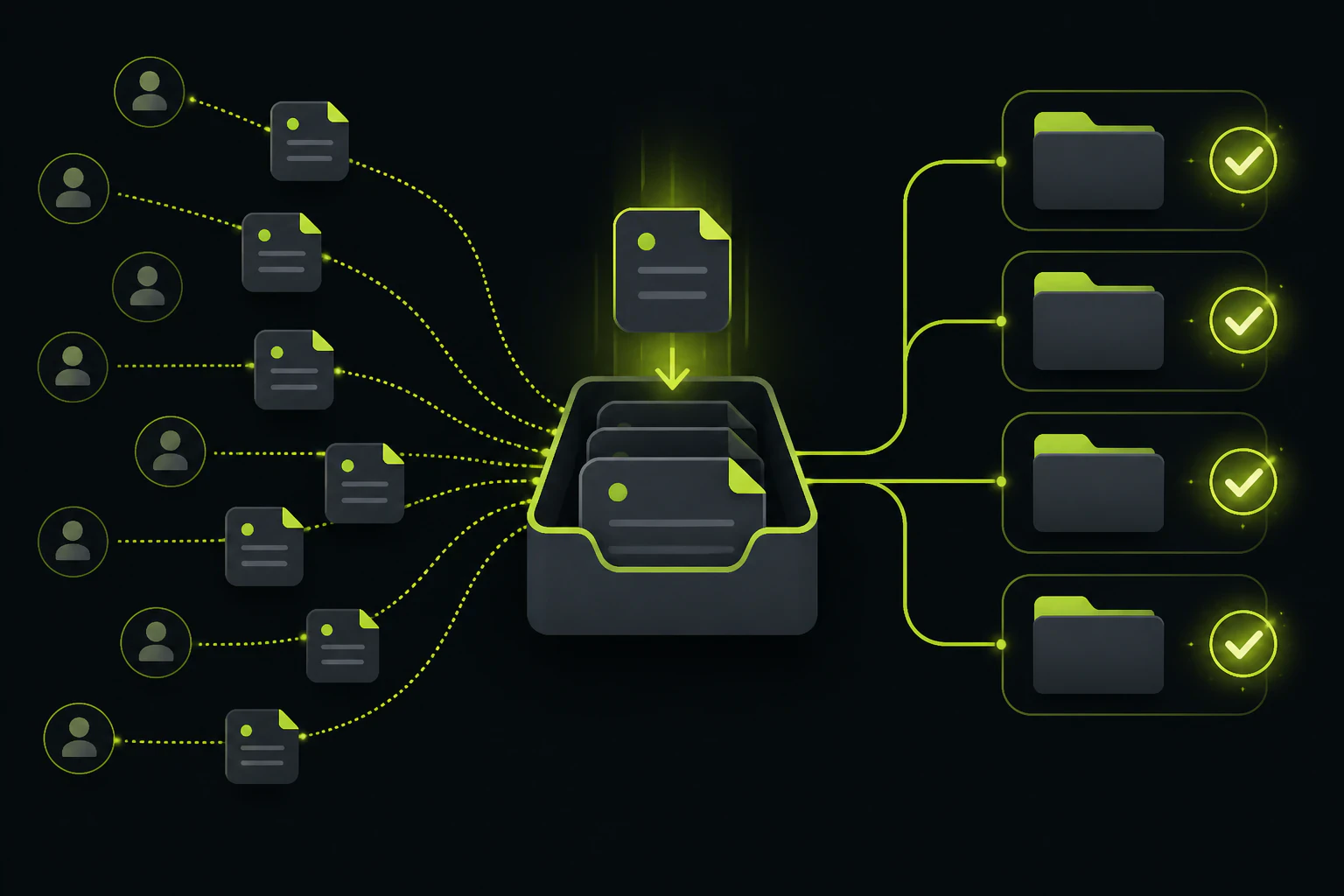
Set up the intake once, reuse it all year.
Chasing client documents by email can eat more hours than the work those documents feed. The fix is a persistent intake link per client: one URL you send with every request, dropping every file into that client's own folder, with nothing for the client to install or sign up for. Build it once and the same links carry the January books, the March deadline, and the client who finally finds their 1099 in June.
Every practice has a version of the same client. The W-2 arrives as a sideways phone photo, the bank statements come in four separate replies, and the whole exchange lives in a thread titled "Re: Re: quick question." With five clients that's an eye-roll. With sixty clients and a filing deadline, it's the bottleneck of the entire season, and no amount of inbox discipline on your side fixes it, because the mess is generated on theirs.
Worth separating two jobs that share a keyword. If you need one file from one person, once, almost anything works, and we've mapped that field in our guide to collecting files from clients. Client document collection at a practice is a different problem: the same request, sent to dozens of clients, on a schedule, where the hard part is knowing at a glance who has sent what, not moving any single file, and where this month's setup has to work again next month without rebuilding it.
Four things a document intake link does that an inbox can't.
A link that doesn't expire
The same URL works in January and in October. You paste it into every request email instead of generating something new per ask, so the client's bookmark from last quarter still lands in the right place.
One folder per client
Each client gets their own link, and everything that comes through it lands pre-sorted under their name. Nobody spends Friday dragging PDFs out of an inbox into folders.
Nothing for the client to join
There's no account to create and no app to install. They open the link on whatever device the document is on, usually a phone, and drop it in. Every step you remove shows up as documents arriving sooner.
One place to check
Who's sent what is a glance at a dashboard, not an archaeology dig through threads. Your follow-up email lists exactly what's missing, which is the difference between a nudge and a nag.
Intake link vs email attachments, at practice scale.
Email isn't wrong for one document from one client. It fails on repetition. Here's where each approach stands once you're running the same request across a whole client list.
| Email attachments | Dedicated intake link | |
|---|---|---|
| Where files end up | Scattered across threads and replies | One folder per client, automatically |
| File size | Roughly 25MB per message on most providers | Built for large files; storage is the meter, not message size |
| Client effort | Find the thread, attach, hope it sends | Open link, drop files, done |
| Knowing what's missing | Reread every thread and reconstruct it | Check the folder against your checklist |
| Next quarter | Start the chase from zero | Resend the same link |
| At 60 clients | Hours of unbilled admin every week | The same routine, sixty times over |
A request you'll make forty more times this year shouldn't start from a blank email.
One uploader per client, and the sorting does itself.
Tonta's unit of organization is the uploader: a separately named, separately configured upload endpoint you can flip into an anonymous drop page and hand out as a plain link. That structure happens to map exactly onto a client list. Create an uploader per client, name it after them, send each client their own link, and every file arrives already filed under the right name in your dashboard. The client sees a clean upload page and never creates an account. You see one screen with everything that's landed.
The tiers map onto practice size in a fairly literal way, since each uploader is a client slot. The free tier is $0 with 5GB and a single uploader, enough to trial the workflow or run one shared intake point. Starter at $9/mo gets you 100GB and 5 uploaders, and removes Tonta's branding from the page your clients see, which matters when the link is going out under your letterhead. Professional at $29/mo covers 25 uploaders and 500GB. Business at $79/mo runs to 100 uploaders and 2TB, which is a mid-sized book of clients with room left over. Documents are small; even a heavy client year of statements, receipts, and scanned returns rarely comes anywhere near 100GB.
Two caveats, stated plainly. A true per-client setup starts at Starter, because the free tier's single uploader means one shared folder for everyone. And Tonta doesn't currently publish data-residency or retention documentation, so if your engagement letters or your regulator require specific security guarantees in writing, ask for them before committing. That last test is worth applying to every tool in this space, not just this one.
A collection workflow you can run without thinking about it.
The link is half the system. The other half is a routine you write once and reuse, whatever tool the files travel through.
- Write the document checklist once per engagement type. Individual return, business return, monthly bookkeeping, onboarding. The list of what you need barely changes between clients, so stop retyping it per email.
- Create one intake link per client and label it with their name. Five minutes per client, once. This is the step that makes every later step automatic.
- Template the request email. Checklist plus their link plus the deadline. Sending it to the next client is a paste, not a composition.
- Ask for source files, not photos, where it matters. A downloaded bank statement PDF is searchable and complete; a phone photo of a screen is neither. Clients comply more when the ask is in the checklist itself.
- Check folders on a schedule, not per email. Twice a week, compare each folder against the checklist and nudge only for what's actually missing. Ten focused minutes replaces a week of reactive inbox triage.
- Archive when the engagement closes. Download the folder and store it per your own retention policy. The intake link is the collection point, not your system of record.
Where Drive, Dropbox, and full portals genuinely fit.
Dropbox File Requests are the closest built-in equivalent if your practice already pays for Dropbox: the client needs no account and files land in a folder you choose. The gaps are cosmetic and structural rather than fatal; the page carries Dropbox's branding, and per-client organization is on you to maintain folder by folder. Google Drive is the weaker collector, because uploading into a shared Drive folder usually requires the client to have a Google account, and the ones who don't will simply email the file instead, which defeats the whole exercise. If Drive's collection friction is what pushed you here, the broader case is laid out in our Google Drive alternative rundown.
Practice management suites like TaxDome or Canopy solve a bigger problem than file intake: engagement letters, e-signatures, organizers, and billing in one system. If you need all of that, a portal is the honest answer and a plain intake link won't replace it. The tradeoff is cost and weight, and a portal your clients find confusing sends you right back to emailed PDFs. Plenty of firms run the lighter setup deliberately: an intake link for documents, a signature tool for signatures, and no client login to support.
And for the genuine one-off, the client who needs to get you a single 2GB backup file today and never again, you don't need infrastructure at all. There are solid free options for that exact job, covered in our guide to sending large files free.
Common questions, answered straight.
What's the best way to collect documents from clients?
For recurring work, a persistent upload link per client, sent with a standard checklist. It removes attachment size limits, sorts files by client automatically, and makes follow-up a folder check instead of a thread hunt. For a single one-time file, email or a free transfer service is fine; the dedicated setup pays off with repetition.
How do I collect client documents securely?
Get files out of email first: attachments get forwarded, sit in multiple inboxes, and are the hardest channel to control. From there, use per-client links you don't post publicly, and check what the vendor actually documents about storage, retention, and deletion before trusting it with regulated data. If a tool won't put its security posture in writing, treat that as your answer.
Do clients need an account to upload files?
Not with a drop-page tool like Tonta or with Dropbox File Requests; the client just opens the link and uploads. Google Drive is the main exception, since shared-folder uploads usually require a Google account. Client portals need a login by design, which is fine if clients will actually use it.
How do I keep each client's files separate?
Give each client their own link rather than sharing one intake point. In Tonta that's one uploader per client, each with its own name and folder, so separation happens at upload time instead of in a Friday sorting session. On plans with multiple uploaders you can run this for 5, 25, or 100 clients depending on tier.
Set up the first intake link before the next deadline.
Tonta's free tier is $0, 5GB, no card: enough to run one live intake link through a real deadline and see whether your clients actually use it.