
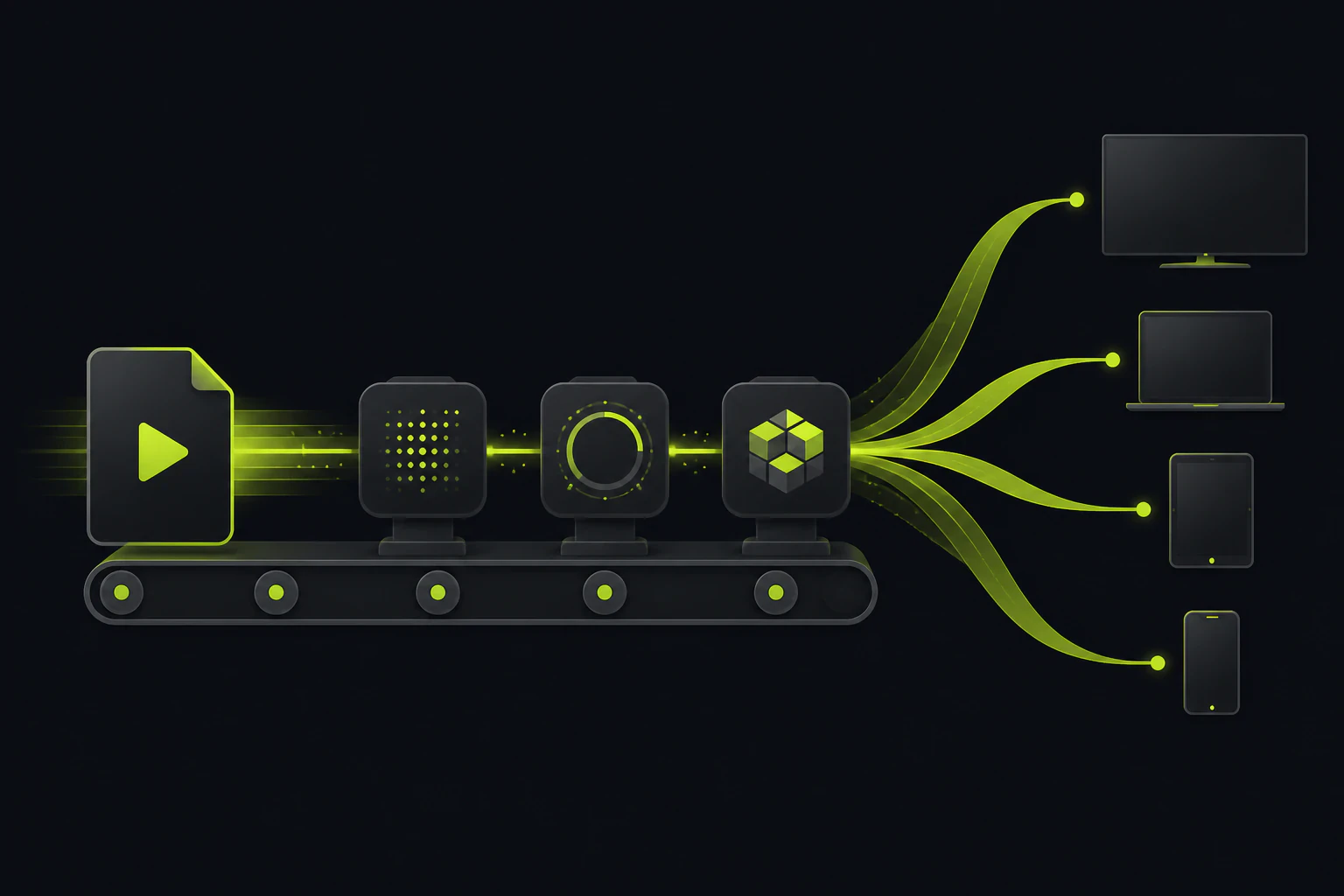
Accepting the file is step one of about six.
A video upload API is really four services behind one endpoint: ingest for files that run to hundreds of megabytes, transcoding into several resolutions so playback works on more than fiber connections, thumbnail extraction for the poster frame, and CDN delivery so the result starts fast anywhere. You can assemble that chain yourself from object storage, a job queue, FFmpeg workers, and GPU instances, or you can rent the whole thing behind a hosted endpoint. Tonta does the latter from a single script tag, with video starting on its $29/mo Professional plan; Cloudinary and the dedicated video platforms sell deeper versions at deeper prices. The right call comes down to how much of that pipeline you actually want to own.
The ingest half is a bigger version of a problem you may already have solved. A form and a multipart POST will move the bytes (the mechanics, attribute by attribute, are in our guide on how to add a file upload form to your website), but video turns every quiet default against you. A one-minute clip off a recent phone can run several hundred megabytes, so the request body limit you never thought about now rejects real uploads, the 30-second proxy timeout kills slow connections mid-transfer, and users on hotel wifi genuinely need a progress bar or they'll assume the page is broken and refresh, which starts the whole transfer over.
Then the file lands, and the harder half begins. The original is almost never what you serve. It's the wrong codec for half your viewers, the wrong resolution for most of their screens, and the wrong bitrate for anyone on a phone. So every serious video feature, from a course platform to a client-review tool to user-submitted clips, needs a transcoding pipeline between the upload and the player.
What you're signing up to build if you build it yourself.
- Ingest that survives big files. Chunked or resumable uploads, raised body limits on every proxy layer, and progress reporting. Each one is straightforward alone; together they're a real front-end and infra project.
- A queue and workers. Transcoding can't run in the request cycle, so you need a job queue, worker processes, retry logic, and a plan for the malformed file that crashes the worker every time it's retried.
- The encode ladder. FFmpeg turning each original into a set of renditions, typically 1080p, 720p, and 480p H.264 MP4 as the compatibility baseline. Encoding on CPU can tie a worker up for minutes per file; GPUs cut that hard but cost real money to keep warm, which is why serverless GPU is the shape this problem wants.
- Poster frames. A thumbnail pulled from the video for previews and the player's poster attribute. One more FFmpeg step, one more artifact to store and name consistently.
- Delivery. Renditions pushed to storage and fronted by a CDN, because serving video from your app server melts it the first time anything gets shared.
- The completion path. Something has to tell your application "this video is ready" minutes after the request that uploaded it already returned. That means status records, callbacks or polling, and handling the job that never finishes.
Each item on that list is a solved problem. Stitching all six together is what costs you the quarter.
None of this is exotic. Teams build it every year, and if you need codec-level control, custom encode ladders, HDR handling, or burned-in watermarking with exact placement, building it is the honest answer, because a hosted API won't give you those knobs. The question is whether your product is video infrastructure or merely has videos in it. For the second group, the pipeline is undifferentiated work that ships zero features.
What Tonta's video pipeline does on your behalf.
On the Professional plan and up, the same Tonta uploader that handles images accepts video, and the pipeline above runs on Tonta's side of the endpoint. Three pieces do the work.
GPU transcoding to multiple resolutions
Uploads are transcoded on serverless GPUs into multiple resolutions, so a 4K original becomes a set of renditions sized for real screens and real connections. No workers to run, no GPU instances idling between uploads.
Thumbnail extraction
A poster frame is pulled from the video during transcode, so previews, galleries, and the player's poster image exist without a separate FFmpeg step or another artifact for you to manage.
Completion by callback, not polling
Transcoding finishes minutes after the upload returns, and the uploader record updates via callback when it does. Professional also includes webhooks, so your backend hears "video ready" without asking every ten seconds.
Integration is the same single script tag used for image uploads, pointed at an element on your page:
<script src="https://tonta.io/uploader/uploader.js"
        data-backend="https://tonta.io/uploader/upload.php"
        data-target=".my-uploader"
        data-api-key="YOUR_API_KEY"
        data-callback="handleUpload"></script>
That renders the uploader and POSTs multipart/form-data to Tonta's hardened endpoint; there's no upload backend for you to write or host. The API key is domain-locked, meaning requests from an origin you haven't whitelisted get a 403, which keeps a key pasted into public HTML from being reusable on someone else's site (it's origin restriction, not a user-permission system, so treat it as exactly that). Finished renditions are served from files.tonta.io, Tonta's CDN, which the homepage cites at under 200ms edge delivery. You point a standard HTML5 video tag, or whatever player you already use, at the rendition URL that fits the context.
The honest limits: there are no official language SDKs today, so integration is the script tag plus plain HTTP (cURL and fetch examples are documented, which covers most stacks fine, but a team that wants a first-class Python or Go client won't find one). And Tonta is upload, transcode, and delivery, not a full video platform: no player analytics, no live streaming.
Video starts at Professional. The free tier won't transcode it.
This matters enough to say plainly: Tonta's free tier is real (5 GB, one uploader, no card) but it's an image tier. Video compression and streaming are gated to Professional at $29/mo and up.
| Plan | Price (USD) | Storage | Video uploads |
|---|---|---|---|
| Free | $0/mo | 5 GB, 1 uploader | No. Images with resize, WebP, compression |
| Starter | $9/mo | 100 GB, 5 uploaders | No. Adds watermarks and removes Tonta branding |
| Professional | $29/mo | 500 GB, 25 uploaders | Yes. Transcoding, streaming, plus webhooks |
| Business | $79/mo | 2 TB, +$20/TB extra, 100 uploaders | Yes |
| Agency | $249/mo | 5 TB, unlimited uploaders | Yes, plus white-label tools and 30 TB monthly egress |
For scale on that $29: 500 GB holds a lot of transcoded video for a course site, a portfolio, or a client-delivery workflow, and the plan includes the processing, the CDN, and the full upload API rather than metering them separately. If you want to feel out the integration before paying, the free tier lets you wire up the uploader with images first; the embed, the key, and the callback flow are the same ones video uses.
Where a different tool genuinely wins.
If video is the product, a dedicated video API like Mux or api.video is built for the parts Tonta doesn't touch: live streaming, player-level analytics, and encoding tuned per title across a library of thousands. Pay for that depth when you'll use it. Cloudinary earns its place when you're already invested in its transformation URLs and asset management and want video inside that same ecosystem, with the pricing complexity that implies; we've written a full rundown of Cloudinary alternatives if you're weighing that tradeoff from the other direction. And DIY remains right for teams with real codec requirements and the ops budget to own a pipeline.
For everyone else, the job description is short: accept the file, make it playable, serve it fast, tell my app when it's done. That's the job a hosted endpoint does for $29/mo without you standing up a single worker.
Common questions before you commit.
Is there a maximum video file size?
Tonta doesn't publish a hard per-file cap on its public pages. Typical phone and camera footage uploads fine within plan storage, but if your workflow involves multi-gigabyte masters, confirm with support before committing, and keep a client-side size check in your uploader regardless so users find out before a long transfer, not after.
What video formats can I upload?
The safe assumption is the formats phones and cameras actually produce, MP4/H.264 and MOV among them, since collecting real-world footage is the pipeline's job. Tonta doesn't publish an exhaustive codec list, so if your workflow depends on something exotic (ProRes masters, MKV, obscure legacy codecs), verify it's handled before you build around it.
Can I upload video on Tonta's free tier?
No. The free tier (5 GB, one uploader) covers images with resize, WebP conversion, and compression. Video compression and streaming start on the Professional plan at $29/mo. The free tier is still the right place to test the embed and callback flow, because they're identical once video is enabled.
Do I need to build my own video player?
No. Renditions are served from files.tonta.io like any other CDN asset, so a plain HTML5 video element with the extracted thumbnail as its poster works, and so does any player library you prefer. If your requirements include adaptive bitrate switching mid-playback or live streams, that's dedicated-video-platform territory, so confirm your exact playback needs against what's documented first.
How do I know when transcoding is finished?
The upload response returns right away; the GPU transcode completes afterward and updates the uploader record via callback. On Professional and up you also get webhooks, so your backend can mark the video ready, notify the user, or kick off the next step without polling.
Ship the feature, skip the pipeline.
Video transcoding and streaming start on Tonta's Professional plan at $29/mo. The free tier (5 GB, images, no card) is the zero-risk way to wire up the uploader first.